Rubber and urethane band saw tires are designed to fit snugly around the wheels — and in most cases, they may look too small at first glance. Don’t worry — that tight fit is necessary for proper tracking, grip, and long-term performance. With the correct method, installation is quick, controlled, and much easier than it appears.
In this Tech Tip demonstration, our Sawblade.com service manager walks you through installing new rubber bandsaw tires step-by-step. Once you learn the technique, mounting fresh tires becomes a simple and repeatable maintenance skill for any shop.
Follow the steps below to stretch and seat your tires properly so they run true, grip the blade evenly, and maintain consistent cutting.
How to Install New Tires
1) Start the Tire on the Wheel
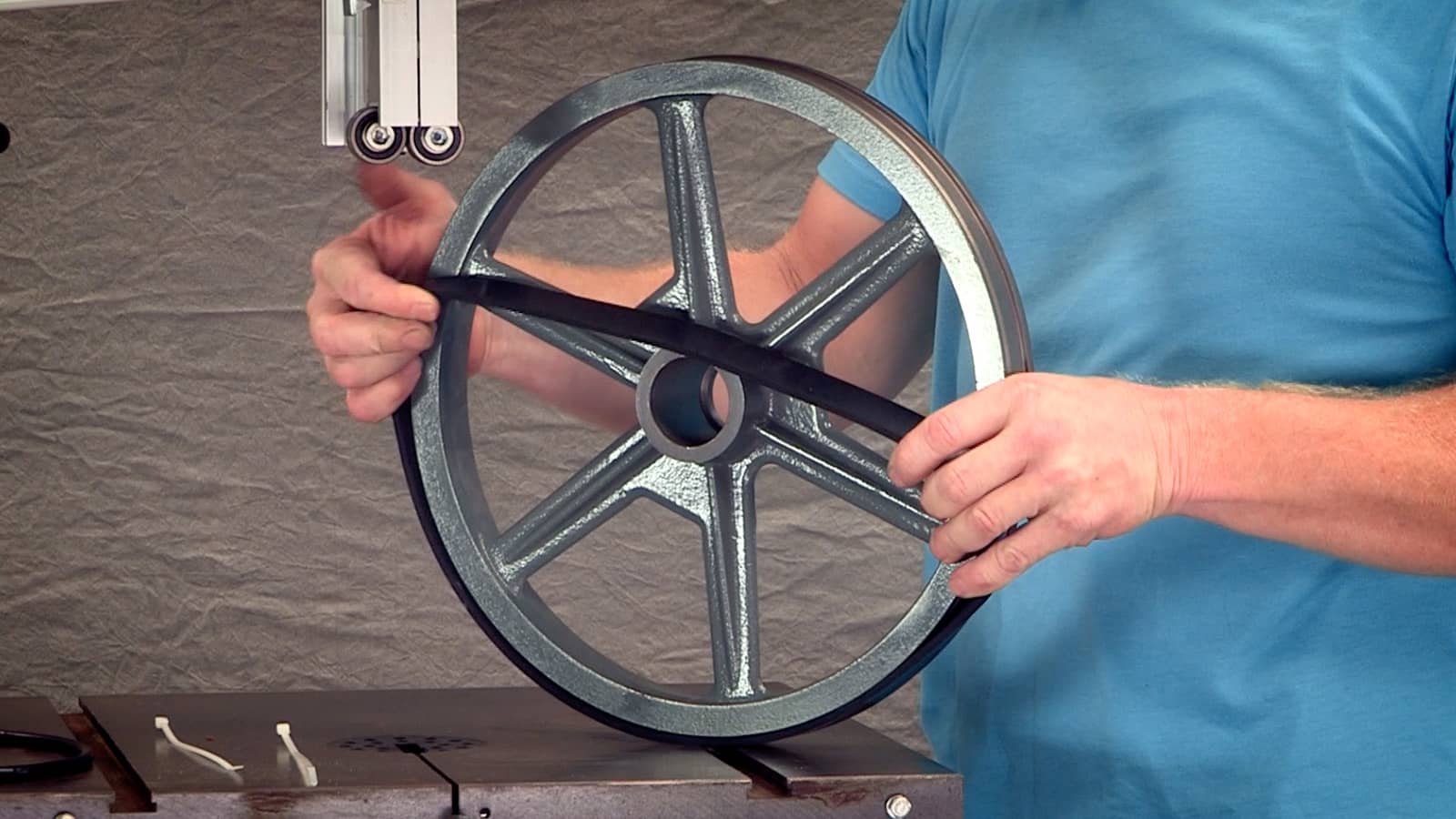
Stretch a small section of the tire over the rim and seat it in place. It will feel tight — this is normal.
2) Secure with Zip Ties
Use zip ties at the 3 o’clock and 9 o’clock positions to hold the tire while you work around the wheel.
3) Stretch Across to the Opposite Side
Pull the tire toward the far side of the wheel, spreading tension evenly as you move around the rim.
4) Work the Tire Over the Edge
With one hand, pull the tire outward at a right angle while your other hand rolls it onto the rim. If additional leverage is needed, use smooth wood or steel tools — but avoid sharp edges that could damage the tire.
5) Finish Seating the Tire
Continue working around the wheel until the tire snaps fully into place. Remove the zip ties, rotate the wheel, and ensure even seating around the full circumference.
Once installed, your bandsaw tires should track smoothly and be ready for cutting after a short break-in period.
If you have questions about bandsaw tire installation, blade performance, or parts availability, call Sawblade.com at 800-754-6920. Our experienced customer service team is always ready to assist.